The Ultimate Auto Clicker Manager for macOS
Automate your workflow, dominate your games, and save countless hours with the most advanced auto clicker built exclusively for Mac.
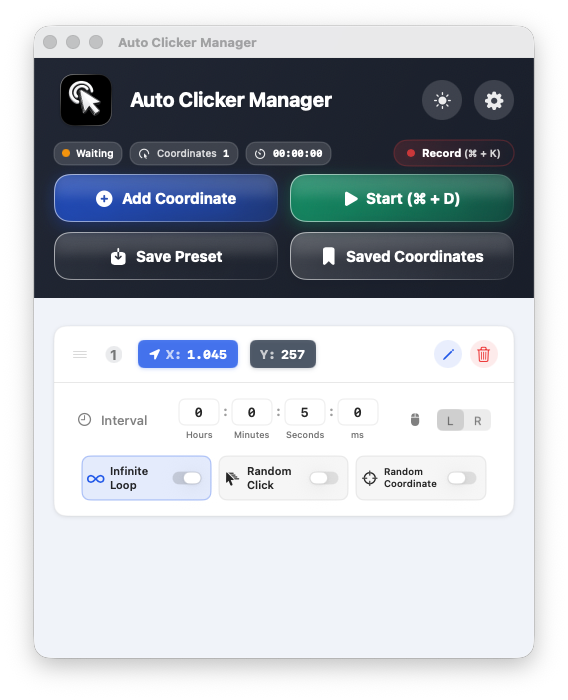
Automate your workflow, dominate your games, and save countless hours with the most advanced auto clicker built exclusively for Mac.
Auto Clicker Manager Demo
Demo VideoEverything you need to automate your clicks, designed with a premium Mac experience.
Save and execute clicks across multiple screen coordinates simultaneously.
Add random delays and coordinate spread to mimic human behavior perfectly.
Simply click to record your coordinates or drag and drop markers on screen.
Set precise delays between clicks in hours, minutes, seconds, or milliseconds.
Run your clicks infinitely or set a specific duration to automatically stop.
Start and stop your automation instantly with custom keyboard shortcuts.
Remove all limits with our Premium plans. 1 Week Free Trial included.

Try Pro for 7 days, then keep using Free if it does not fit your workflow.
| Feature | Free | Pro |
|---|---|---|
| Add Coordinates | 5 Max | |
| Add Coordinates by Recording | ||
| Save Coordinates | 1 | |
| Random Click | ||
| Random Coordinate | ||
| Infinite Click Mode |